Free & open source · Native Mac app
Keep your globe
on the desktop.
Turn an address list into a map. Bring your KML projects and shapefiles, measure land, and discover the public data around a place—all on a native Mac globe. No app subscription, in-app purchases, or Earth Pro account.
Google has announced that new Google Earth Pro desktop downloads end June 25, 2027. Existing installations can continue working. Earth Pro keeps a desktop option available, with its own features and provider choices. Read Google’s announcement ↗
Free · macOS 14+ · Apple silicon & Intel
Version 1.0 · build 8 · October 18, 2026
Developer ID signed and Apple-notarized app. App Store release pending review. Verify the download checksum.
Open-source code; noncommercial service configuration. Included data/services are not cleared for commercial use as-is. Read the commercial-use limits before use →
From location to context
A map that holds
your own work.
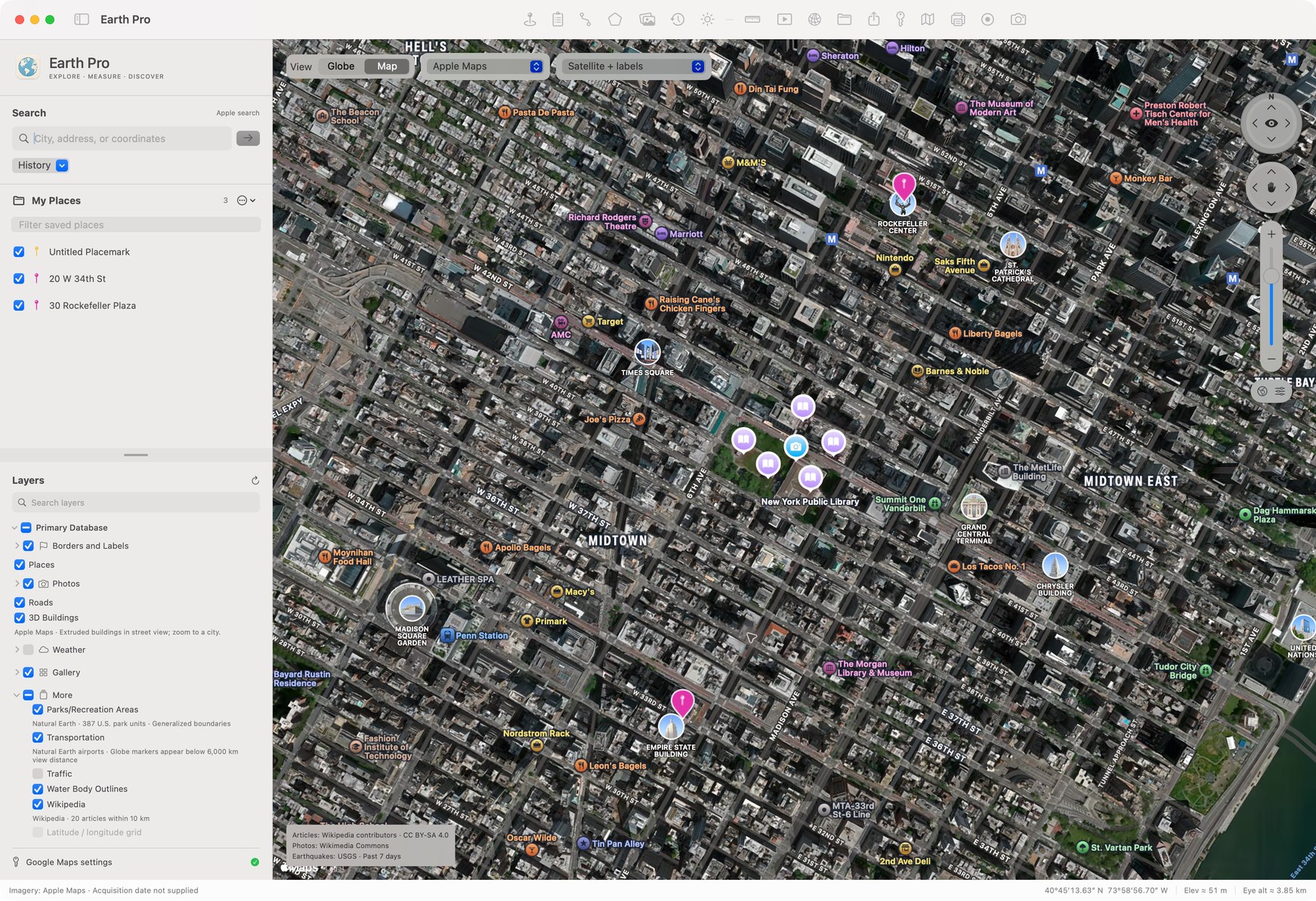
A few places for a trip. A list of sites to visit. A boundary you need to measure. These tools come with the free app; there is no feature-unlock purchase. Optional third-party services have their own terms and charges.
- Paste the list. See the places.
- Plot up to 250 addresses in one import. Review unresolved matches, skip duplicate lines, and frame the results together. Search suggestions help you find one place at a time.
- Make every pin recognizable.
- Choose colors, shapes, icons, and notes. Draw paths and polygons, import KML or KMZ, and export your project as KML.
- Measure with useful detail.
- Choose units and decimal precision for distances, perimeters, and areas. Read coordinates, approximate elevation, and camera altitude as you explore.
- Add another layer of context.
- Stream sharper tiled globe imagery as you zoom, compare NASA daily satellite imagery and Esri Wayback archive releases, position image overlays, and record silent map videos. Capture dates appear where the source supplies them; archive release dates are identified separately.
- Find data around your view.
- Switch between Places, Layers, and Data. Discover public parcels, zoning, flood mapping, water, sewer, and other utility layers for the current view or a chosen area. The catalog contains 21,412 source entries; coverage varies, and not every entry has been tested. Live layers refresh manually within the map view. Import a complete shapefile ZIP or folder with its SHP, DBF, and PRJ files, or connect a custom source. Polygons show filled source colors and legends where supported. Unsupported styles use a visible fallback notice; FEMA hatch patterns display as solid fills with an explicit notice. Results can be partial at service or app limits, so zoom closer and refresh for a smaller area.
- Find the right data library.
- Browse 31 sources grouped into local data, imagery, historical maps, and reference sources. Nine provider entries support live searches; 22 provide links or manual setup. Connect supported ArcGIS, Socrata, and OpenDataSoft vector results. STAC and OpenAerialMap scene searches show capture dates and can add coverage footprints—not the imagery pixels. Check each source’s access, coverage, and reuse terms.
Your map. Your choice.
Start exploring.
No Google key required.
Use the globe, Apple Maps, or OpenStreetMap from the start. Add your own compatible Google Maps API key for Google imagery and photorealistic 3D buildings and terrain where supported. Your key stays in macOS Keychain; Google may charge separately for API use.
Online maps require internet access. Address matches, 3D coverage, and elevation accuracy vary. NASA history is a daily satellite archive, not a street-level aerial history.
Local by default. Open by choice.
Your projects stay
on your Mac.
No Earth Pro account needed. Online features contact their selected providers. Local MCP starts enabled and is protected by a per-session token on your Mac’s loopback interface. Use the toolbar network icon to switch it off or copy connection instructions for a trusted AI client. Supported tools include navigation, address lists, notes, utility layers, custom data, data-library discovery, source dates, overlays, and recording. Earth Pro does not itself send your map library to an LLM; a client you connect follows its own data policies.