Coming soon
One-tap wrist capture
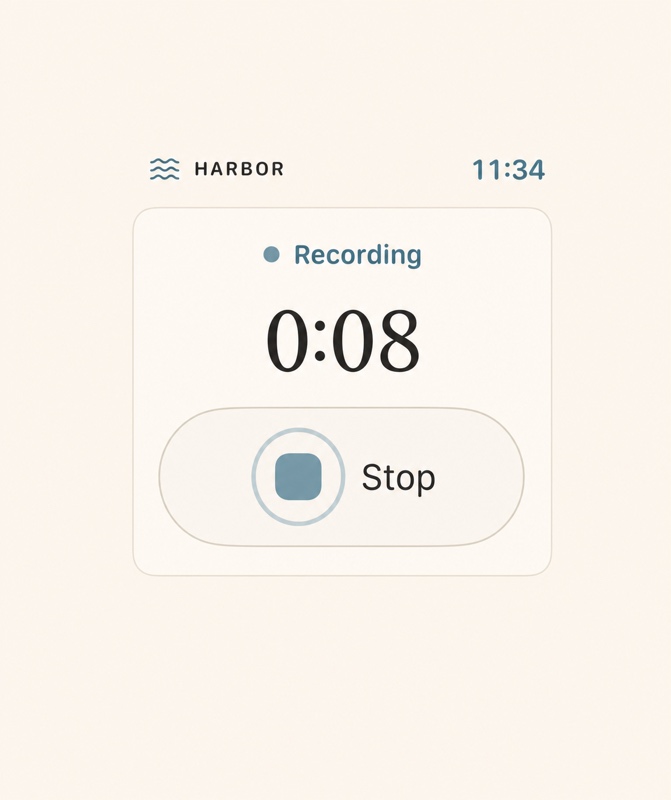
Open Harbor and start with one deliberate tap. A red recording state, timer, haptics, and a large Stop & Save control make the state unmistakable.
 Harbor
Watch · Coming soon
Harbor
Watch · Coming soon
Harbor for Apple Watch · Coming soon
A simple, offline-first capture companion for the moments when reaching for your phone would mean losing the thought—or interrupting the conversation.
Watch captures
→Watch keeps a safe copy
→iPhone adds it to Harbor
Coming soonDesigned for the wrist
The Watch app is planned as a calm capture companion. Your iPhone will remain the place for transcripts, speakers, summaries, editing, and your Harbor library.
Open Harbor and start with one deliberate tap. A red recording state, timer, haptics, and a large Stop & Save control make the state unmistakable.
Your iPhone can be absent, locked, offline, or unreachable. Harbor is planned to finalize the audio and keep it on the Watch while delivery waits.
See plain-language status such as “Saved on Watch,” “Waiting for iPhone,” and “Added to Harbor”—without treating offline as a failure.
After verified delivery, Harbor on iPhone will add the recording to your chosen library and handle the transcript, speakers, summary, editing, and exports.
Clear at a glance
Harbor will describe custody, not networking. The recording stays on the Watch until the iPhone has safely added it to the Harbor library you chose.
Coming soonRed indicator, elapsed time, and Stop & Save.
The Watch keeps custody while your phone is unavailable.
Delivery resumes when the paired iPhone is reachable.
The iPhone has safely committed it to your Harbor library.
How to use Harbor on Watch · Coming soon
Launch the Watch app when a thought or conversation is worth keeping.
Confirm everyone knows, then begin with the large recording control.
Harbor finalizes the recording and confirms that it is saved on the Watch.
When needed, open Harbor on the paired iPhone so the recording can be added and processed.
Still being proven on physical devices: deferred delivery and long-duration recording reliability. Harbor will not remove the Watch copy until the iPhone has safely added the recording to the Harbor library.
Questions · Coming soon
Coming soon The planned Watch app records independently and keeps the audio on the Watch until the paired iPhone is reachable.
Coming soon No. The Watch is planned for capture and safe temporary custody. Harbor on iPhone will handle processing, review, and your library.
Coming soon Longer recordings are still undergoing paired physical Watch and iPhone reliability testing. Harbor will publish supported expectations only after testing is complete.
Harbor for Apple Watch · Coming soon
The Watch companion is still being built and physically tested. Harbor for iPhone is also in development.
Check iPhone availability